Categories

EdTech, LMS, SCORM

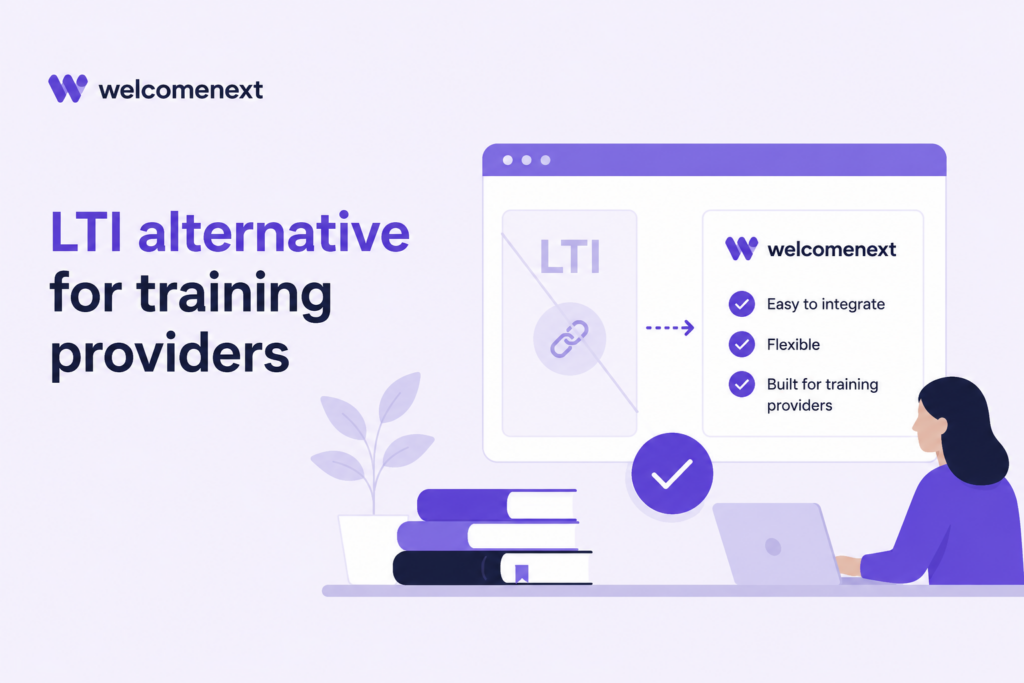
LTI Alternative for Training Providers | scormPROXY

SCORM Dispatch vs LTI: Which Is Better for Distributing Courses to Clients? When training providers sell or distribute courses to external clients, they often face the same question: should they use LTI integration, or should they deliver controlled SCORM connectors through a SCORM Dispatch model? Both approaches can be valid. LTI is a powerful interoperability standard for connecting learning tools with LMS platforms. SCORM Dispatch, on the other hand, is especially practical when you need to distribute course packages to many client LMSs while keeping the original content protected, hosted and controlled from a central platform. This article explains the differences between LTI and SCORM Dispatch, where each approach fits best, and why scormPROXY connectors can be a strong option for training providers, publishers and e-learning vendors that need to distribute content to external clients. Short answer: LTI is an excellent standard for deep tool integration when both sides are ready for it. SCORM Dispatch is often the more compatible and practical option when your clients already use LMS platforms that accept SCORM packages and you need fast deployment, license control, centralized updates and tracking without sending the original course files. What is LTI? LTI stands for Learning Tools Interoperability. It is a specification developed by 1EdTech that allows learning platforms, such as LMSs, to integrate external tools and content in a standard way. LTI 1.3 improved the security model and LTI Advantage adds services for a richer integration experience. In practical terms, LTI is useful when an external learning tool needs to appear inside an LMS and exchange information with it. It can support secure launches, user context, roles, course context, grade return and other integration services depending on the implementation. LTI is therefore very attractive for software tools, simulations, assessment engines, virtual labs, adaptive learning systems and other products that behave more like connected applications than traditional course packages.   What is SCORM Dispatch? SCORM Dispatch is a content distribution model where the provider keeps the original content hosted in a central cloud platform and gives each client a small SCORM package or connector to upload into their LMS. From the client’s perspective, the connector behaves like a normal SCORM course. From the provider’s perspective, the original content remains under control: it is hosted centrally, updated centrally, tracked centrally and protected from direct distribution as an original ZIP package. This model is especially useful for organizations that sell, rent or distribute courses to many companies, each with its own LMS. Instead of sending the original content to every client, the provider sends controlled connectors that launch the cloud-hosted content.   LTI and SCORM Dispatch solve different problems It is tempting to compare LTI and SCORM Dispatch as if one were simply “better” than the other. That is not the right way to look at it. LTI is mainly an integration standard. It is designed to connect an external tool or learning application with a platform. SCORM Dispatch is mainly a content distribution and control model. It is designed to let providers distribute courses to external LMS platforms while maintaining control over the original content, licenses, updates and tracking. Question LTI SCORM Dispatch / scormPROXY connectors Main purpose Integrate an external tool or learning application with an LMS. Distribute controlled course connectors to external LMS platforms. Best suited for Applications, tools, simulations, assessment engines and platform-to-platform integrations. Training providers, publishers and content vendors distributing courses to client LMSs. Client deployment Requires the client LMS to support the required LTI version and integration configuration. The client uploads a SCORM/xAPI connector as they would upload a normal course package. Compatibility Depends on the LMS and the LTI version/services implemented. Works with LMS platforms that support SCORM or xAPI packages, which are very common in e-learning environments. Original content files The content/tool remains external, but integration setup can be more technical. The original content stays hosted in scormPROXY; clients receive only controlled connectors. License control Depends on the tool and implementation. Built around client, connector, license duration, expiration and usage control. Non-LMS delivery Usually focused on LMS/tool integration. Can also support links, WordPress, websites, intranets, ERPs, CRMs and email invitations. Why many training providers still prefer SCORM connectors For many commercial training providers, the decisive factor is not whether LTI is technically advanced. The real question is: how easy is it for clients to receive, install and use the courses? Most client LMS administrators already understand how to upload a SCORM package. They may not need a new integration project, security review or LTI configuration. They simply need a course package they can upload, assign to learners and track. This is where scormPROXY connectors are particularly practical. The client receives a connector, uploads it into the LMS and the content is launched remotely from scormPROXY. The provider keeps control over the original content and the client avoids hosting large course files. Key advantages of scormPROXY connectors   1. No original files sent to clients Clients receive controlled connectors, not the original course packages. This helps protect intellectual property and reduces uncontrolled redistribution. 2. Less storage and bandwidth for clients The real content is hosted in scormPROXY, so the client’s LMS does not need to store and serve the full content catalogue. 3. Centralized updates When a course is updated, the provider can manage the update centrally instead of sending new original files to every client. 4. License control Licenses can be allocated by client and connector, with duration, expiration and usage rules. 5. Tracking and reporting Providers can monitor usage, progress, completions and license consumption across clients and products. 6. Flexible distribution channels Content can be delivered to LMS platforms, non-LMS platforms, WordPress sites, direct links or email invitations.   Beyond saving storage and bandwidth A common benefit of SCORM Dispatch is that the client does not need to host the full content. This can save storage space and bandwidth in the client LMS, especially when the catalogue includes large SCORM packages, videos, audio files or PDF documents. However, for content
EdTech, LMS, SCORM

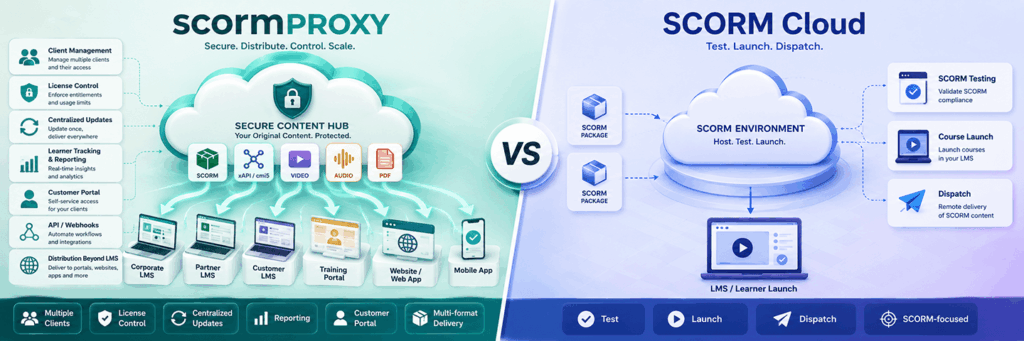
SCORM Cloud Alternative for Training Providers | scormPROXY

Looking for a SCORM Cloud Alternative? Key Factors Training Providers Should Compare If you sell, rent or distribute e-learning content to external clients, you may already know SCORM Cloud. It is one of the most established platforms in the e-learning industry and is often used to test, launch and dispatch SCORM content. However, not every organization looking for a SCORM Cloud alternative has exactly the same needs. Some companies only need a reliable way to launch or test SCORM packages. Others need a complete content distribution workflow: client management, license control, centralized updates, reporting, customer access, API automation and support for different delivery channels. This is where comparing SCORM Cloud alternatives becomes especially important.   What should you look for in a SCORM Cloud alternative? A good SCORM Cloud alternative should not only be able to deliver SCORM content remotely. It should also help you manage the operational and commercial side of distributing learning content to clients. Before choosing a platform, training providers should consider the following questions: Can I distribute courses to multiple external LMS platforms? Can I keep the original course files protected in the cloud? Can I update content centrally without asking clients to upload new files? Can I control the number of licenses available for each client? Can I define license duration and expiration dates? Can I track learner activity, progress and completion? Can my clients access a portal to download connectors or view reports? Can I distribute content outside an LMS, for example through links, websites or email invitations? Can I automate processes using an API or webhooks? Can the platform support formats beyond SCORM? For many content providers, these questions are more important than simply asking whether a platform can “dispatch” a course.   SCORM Cloud: a well-known solution for SCORM delivery SCORM Cloud is a mature and widely recognized platform. It is commonly used for SCORM testing, launching, dispatching and integration scenarios. For organizations that need a general-purpose SCORM environment, it can be a strong option. However, training providers that distribute content to many external clients often need more than content launch and dispatch. They need workflows for managing customers, connectors, licenses, reporting and ongoing commercial relationships. That is where a specialized platform such as scormPROXY can be a better fit.   scormPROXY: a SCORM Cloud alternative focused on client-based content distribution scormPROXY is a cloud-based content distribution and licensing platform designed for organizations that sell, rent or distribute e-learning content to external clients. Instead of sending the original course files to each client, scormPROXY allows you to host your content in the cloud and distribute remote connectors (dispatchers), links or invitations. Your clients can access the content from their own LMS, WordPress site, intranet, website, CRM, ERP or directly by email invitation. This makes scormPROXY especially useful for: Training providers selling courses to companies. E-learning vendors distributing catalogues to multiple clients. Publishers and academies that need to protect their content. Organizations that manage several client platforms. Businesses that need license control, reporting and centralized updates. 1. Content formats: SCORM, xAPI, video, audio and PDF When comparing SCORM Cloud alternatives, supported formats are an important factor. scormPROXY supports SCORM 1.2, SCORM 2004, xAPI, MP4, MP3 and PDF. This allows organizations to distribute not only traditional SCORM packages, but also multimedia and document-based learning materials from the same platform. This is important for training providers whose catalogue includes a mix of e-learning courses, videos, podcasts, PDFs and other digital learning assets. 2. Remote LMS client management One of the main differences between a generic SCORM dispatch platform and scormPROXY is the focus on remote client management. With scormPROXY, you can register and manage external clients, assign connectors, allocate licenses, define access conditions and monitor usage for each client. This is useful when each client has its own LMS or learning environment. Instead of treating every dispatch as an isolated package, scormPROXY helps you manage the client relationship around the content. 3. Distribution beyond the LMS Many organizations searching for a SCORM Cloud alternative are not only distributing courses to LMS platforms. Some clients may use WordPress, intranets, websites, ERPs, CRMs or other non-LMS environments. Others may not have a platform at all and may need direct email invitations. scormPROXY supports several distribution channels: SCORM/xAPI connectors for LMS platforms. Link-based access for non-LMS platforms. WordPress distribution. Email invitations for direct learner access. This flexibility can be especially useful for training providers that work with many types of clients. 4. License control and expiration rules For commercial course distribution, license control is essential. scormPROXY allows you to allocate licenses to clients, limit the number of available registrations, define license duration and set expiration dates. This helps training providers sell or rent access to content while keeping control over usage. This is particularly important when courses are sold by number of learners, duration of access or client contract. 5. Centralized content updates A key advantage of remote content distribution is the ability to update content centrally. With scormPROXY, the original content remains hosted in the cloud. When a course is updated, the provider can manage the new version centrally, reducing the need to resend original files to every client. For training providers with many clients and frequent course updates, this can significantly reduce support work and operational complexity. 6. Customer Portal scormPROXY includes a Customer Portal that allows clients to access selected features depending on their permissions. Clients can use the portal to view available products, download connectors, request licenses and consult reports. This creates a more professional and scalable workflow for content providers that manage multiple customers. For many training providers, this is one of the most important differences when evaluating SCORM Cloud alternatives. 7. Reporting and tracking Reporting is not only about knowing whether a learner completed a course. For commercial content distribution, reporting often needs to answer questions such as: Which clients are consuming the most licenses? Which products are being used? Which learners have started or completed training? Which licenses are active,

EdTech, LMS, SCORM

New scormPROXY Feedback Module. How does it work?

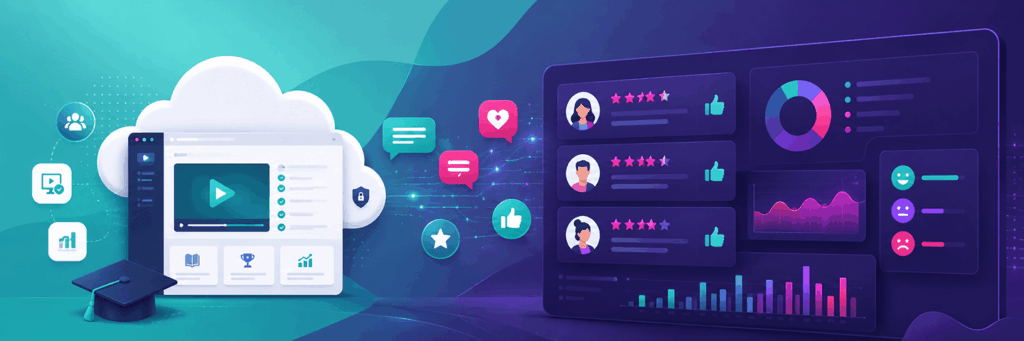
The new Feedback Module of scormPROXY allows you to collect information from end users (students) who access your content: Request the user accessing your content to provide their email address to enable more personalized follow-up with those users (e.g., sending a personalized completion certificate). Ask the user who has completed content to provide feedback on it. You can request a rating (from 1 to 5), a brief comment, or both.   All this information is collected in scormPROXY and can be reviewed through the ratings report.   How to configure the Feedback Module?   Go to the “Clients” section and select a client from the list (this could be a client with LMS, without LMS, or invited by email).   To assign licenses for new products to this client, click the “Add licenses” button.     In the license addition dialog, at the bottom right, you will find the settings for the Feedback Module:     If you wish to request the user’s email, select one of the available options in the “Request student email…” dropdown. Enable the “Make mandatory” checkbox if you want to force the user to enter their email to proceed. To request user feedback, enable the corresponding checkboxes under the “Upon content completion…” section.   To modify Feedback settings for already assigned licenses, select a license and click the “Modify” button. In the dialog that appears, you can adjust the Feedback options:     In the list of licenses assigned per client, you can see a series of icons in the “Feedback” column indicating which Feedback options are enabled (request email, request rating, and request comments, respectively).       How to review received ratings and comments?   Go to the main “Reports” section and then navigate to the “Ratings” report.   In this report, you can review all the ratings you’ve received for your content, filtering by time period, client, or course.   You can also export this report to Excel for sharing or archiving purposes.   How much does the Feedback Module cost?   The STANDARD plan of the scormPROXY Feedback Module is free and comes included by default in all scormPROXY accounts. The only limitation of this plan is that it allows receiving a maximum of 5,000 user comments. If you are interested in increasing this limit to receive more feedback, you can opt for one of the advanced Feedback Module plans:   Plan Limits Fee STANDARD 5,000 comments Free PRO 25,000 comments €50/month ADVANCED 100,000 comments €125/month ENTERPRISE 500,000 comments €250/month

Articles, e-Learning Trends, LMS, SCORM

The Challenges of Managing Content Across Multiple LMS Platforms in Large Enterprises

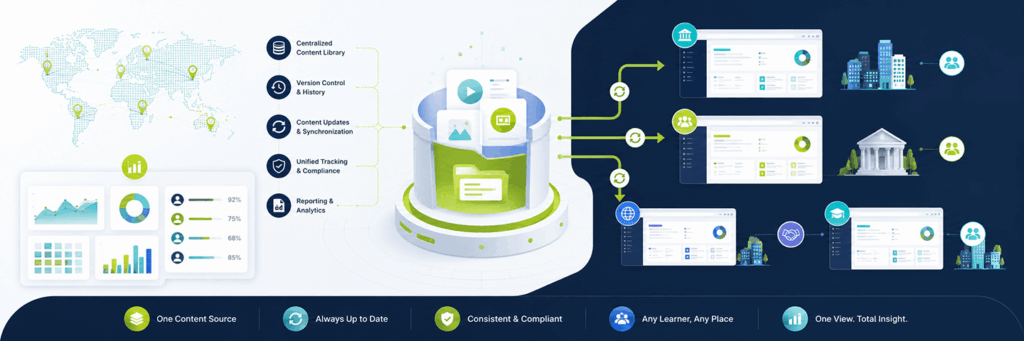
The Challenges of Managing Content Across Multiple LMS Platforms in Large Enterprises   In today’s digital age, Learning Management Systems (LMS) are critical tools for corporate training and professional development. Large enterprises often find themselves dealing with multiple LMS platforms due to mergers, acquisitions, regional differences, or department-specific needs. While these systems are crucial for delivering educational content and tracking employee progress, having multiple LMS platforms introduces significant challenges for content management, distribution, and monitoring. This article explores the challenges faced by large enterprises in managing, storing, and distributing content across various LMS platforms. We will also look at how scormPROXY can effectively address these issues, providing a unified solution to streamline content management and improve overall training outcomes. Challenges of Managing Multiple LMS Platforms Large enterprises with multiple LMS platforms face a series of interconnected challenges that affect efficiency, employee experience, and overall performance. Below are some of the key challenges: 1. Lack of Centralization and Unified Management One of the most significant issues faced by companies with multiple LMS platforms is the lack of centralization. Each LMS operates independently, which leads to content silos, making it challenging for training managers to get a complete view of the available training materials. This fragmentation results in: Inconsistent Learning Experiences: Employees across the organization may not have access to the same training resources, resulting in uneven knowledge and skills across departments. Duplication of Effort: Training teams often need to upload, update, and manage the same content in multiple LMS platforms, leading to duplicated work and increased administrative overhead.   2. Difficulty in Updating and Synchronizing Content Another major challenge is the complexity of keeping content updated across different LMS platforms. Enterprises often need to update their training materials due to changing regulations, new products, or changes in internal procedures. With multiple LMS platforms, updating content becomes a labor-intensive task: Manual Updates: The training team must manually update content across each LMS, leading to potential inconsistencies and outdated information. Version Control Issues: Without a centralized system, version control becomes a nightmare. Some platforms might have updated materials, while others are still hosting outdated versions, causing confusion and ineffective training.   3. Lack of Unified Tracking and Reporting Tracking learner progress and generating reports is crucial for measuring the success of training programs. When multiple LMS platforms are involved, gaining a holistic view of employee learning becomes nearly impossible: Fragmented Tracking Data: Different LMS platforms store data separately, making it difficult to track the overall progress of an employee across all platforms. Complex Reporting: Generating enterprise-wide reports requires collating data from different LMS systems, often involving manual data processing and the risk of errors.   4. Limited Ability to Share Content with Third Parties In many cases, organizations need to share training content with external partners, such as vendors, contractors, or even customers. With multiple LMS platforms, sharing content externally is challenging: Inconsistent Access: Different LMS systems may have different capabilities or restrictions, complicating the process of sharing content with external stakeholders. Increased Licensing Costs: Sharing content externally often requires additional licensing or access rights for multiple platforms, increasing the cost and complexity of training delivery.   Introducing scormPROXY: A Solution to Simplify LMS Management Managing content across multiple LMS platforms doesn’t have to be an insurmountable challenge. scormPROXY offers a practical solution to help large enterprises centralize their content management, streamline content distribution, and provide a consistent learning experience across the board. scormPROXY is an intelligent middleware that acts as a bridge between your content and your LMS platforms. Instead of managing multiple copies of the same content on different LMSs, scormPROXY allows you to maintain one centralized content repository and distribute it seamlessly to multiple LMS platforms. How scormPROXY Solves Content Management Challenges 1. Centralized Content Management With scormPROXY, all your training materials are stored in a single repository. This centralization means: Unified Content Library: Training managers can maintain a single version of each training module and update it as needed, without having to log in to multiple LMS platforms. Efficient Content Distribution: Once content is updated in the central repository, all linked LMS platforms automatically receive the latest version, ensuring consistency across the enterprise. Benefit: Reduced administrative burden and elimination of redundant tasks, allowing the training team to focus on creating impactful learning experiences rather than managing logistics.   2. Simplified Content Updates scormPROXY enables seamless content updates across LMS platforms, addressing the issues of synchronization and version control. Instead of logging into each LMS individually to update content, training managers can make changes once, and those updates automatically propagate to all connected platforms. Automatic Version Control: scormPROXY ensures that only the latest version of a training module is available to employees, minimizing the risks associated with outdated content. Time Savings: The time spent updating content across multiple platforms is drastically reduced, freeing up resources for other training initiatives. Benefit: Increased efficiency and more consistent learning experiences across the organization.   3. Unified Tracking and Reporting scormPROXY provides a unified tracking solution, allowing enterprises to get a complete view of their training activities, regardless of how many LMS platforms they use. Single Point of Data Collection: scormPROXY gathers learner progress and interaction data from all LMS platforms into one centralized dashboard. Training managers can easily track employee progress, monitor completion rates, and identify areas that need improvement. Simplified Reporting: scormPROXY’s built-in reporting capabilities allow for easy generation of enterprise-wide reports, providing insights into the effectiveness of training programs and identifying areas for development. Benefit: Streamlined tracking and reporting, giving organizations a comprehensive view of their training impact without manual data aggregation. Illustration: Dashboard showing unified tracking metrics from various LMS platforms, all consolidated into one view. 4. Easy Content Sharing with External Partners scormPROXY also facilitates content sharing with third parties, such as suppliers, clients, and contractors, by providing a simple and effective distribution method. Web Links Instead of LMS Access: Rather than giving partners direct access to an LMS platform, scormPROXY provides web links that allow external stakeholders

Articles, e-Learning Trends, LMS

The Challenges of Distributing MP4/MP3 Content to External Learning Platforms

The Challenges of Distributing MP4/MP3 Content to External Learning Platforms   In today’s digital learning landscape, multimedia content such as videos and podcasts have become invaluable tools for education and training. Videos in MP4 format and audio files in MP3 format are widely used for their ease of consumption, versatility, and capacity to engage learners. But what happens when we want to distribute these MP4/MP3 files to external platforms, like Learning Management Systems (LMS) or other educational environments? While these formats offer great potential, distributing them effectively comes with a series of unique challenges that may hinder their full potential, especially when it comes to licensing, tracking, and controlling access. This article explores these challenges in detail and presents a solution: scormPROXY. We will examine the traditional methods of distributing MP4/MP3 content, the issues that arise, and how scormPROXY is uniquely positioned to help overcome these obstacles.   Traditional Methods of Distributing MP4/MP3 Content When an organization wants to distribute video or audio content to external platforms, the traditional approach often involves hosting the files on a centralized server and providing direct links or embedding them within platforms. Let’s break down a few of the common methods: Direct Hosting and Linking: The video or audio files are hosted on a streaming server, and external platforms are given access links. These links can be embedded in the platform, allowing users to stream the content directly. File Embedding: In some cases, MP4 or MP3 files are embedded directly within an LMS or another platform. The platform may include an embedded media player, allowing learners to play the content within their browser without leaving the LMS. Third-Party Streaming Platforms: Platforms like YouTube or Vimeo for videos, or Spotify for audio, can also be used to distribute multimedia content. Links are shared with users who can then access the content via these platforms. While these methods allow easy distribution of content, they come with a series of significant drawbacks, especially when you need to distribute under controlled licensing terms or ensure consistent monitoring of learner progress.   Challenges with Distributing Licensed MP4/MP3 Content to External Platforms While distributing multimedia content externally is straightforward in principle, several challenges arise when an organization wants to distribute such content under licensing terms and maintain tight control over access and usage. 1. Lack of SCORM Compliance One of the primary issues when distributing MP4 or MP3 files is that these formats are not SCORM-compliant by default. SCORM (Sharable Content Object Reference Model) is a set of standards used to define how online learning content and LMS platforms communicate. SCORM allows the tracking of key metrics, such as: Completion status Scores Time spent on content However, MP4/MP3 files do not inherently have a mechanism to communicate learner progress, scores, or any kind of engagement data back to the LMS. When a learner views a video or listens to a podcast, there is no way to track whether they actually completed it or how much time they spent on it. 2. No Licensing Control For organizations that need to distribute content under a licensing model, controlling how and when the content is accessed becomes essential. Direct linking or embedding means that once the link is shared, it can be accessed repeatedly, regardless of licensing restrictions. There is no built-in way to control how many learners access the content or to prevent unauthorized sharing of links. 3. Limited Data Insights Another challenge is the lack of learner data. Unlike SCORM-compliant content, MP4 and MP3 files do not provide insights into how users are interacting with the content. Organizations miss out on data such as: Who accessed the content How much of the content was viewed Engagement metrics like pause, replay, or skip behavior These insights are crucial for assessing the effectiveness of training programs and for making informed decisions on future content. 4. Centralized Hosting Risks When content is hosted on a centralized server, there is always the risk of unauthorized access, misuse, or piracy. Moreover, managing multiple versions of content across different platforms can quickly become unmanageable, leading to potential errors and inconsistencies.   scormPROXY: The Solution to Multimedia Distribution Challenges scormPROXY offers an elegant solution to the aforementioned challenges by enabling the distribution of MP4/MP3 content in a manner that is both SCORM-compliant and tightly controlled. Let’s dive into how scormPROXY addresses each of these pain points. 1. Introducing SCORM Compliance for MP4/MP3 Content scormPROXY bridges the gap between multimedia content and SCORM compliance. By wrapping video and audio files within a SCORM package, scormPROXY enables tracking of learner interactions with the content. This means that organizations can track when learners start and complete a video or audio lesson, the time spent, and more—all while seamlessly integrating with any SCORM-compatible LMS. The SCORM wrapper makes it possible for multimedia content to function like any other SCORM lesson, meaning that learner progress is tracked, and completion data is recorded in the LMS. This is particularly useful for organizations that need compliance training records or need to report on learner activity for auditing purposes. 2. Controlled Licensing and Secure Access scormPROXY allows organizations to distribute MP4/MP3 content under strict licensing controls. Through scormPROXY’s licensing system, administrators can define exactly how many learners can access a specific piece of content and for how long. Licenses can be assigned or revoked as needed, ensuring that content usage is always aligned with the organization’s licensing agreements. Additionally, scormPROXY provides the option of securely sharing content without exposing direct links to the files, reducing the risk of piracy or unauthorized sharing. Learners access the content through the LMS, without needing to know the actual location of the hosted media. 3. In-Depth Data Insights By using scormPROXY, organizations can gather detailed data on learner interactions with multimedia content. The SCORM wrapper reports back to the LMS with important metrics such as: Whether a learner has completed the content The amount of time spent on the content Learner engagement behaviors, like play, pause, and replays This

Articles, e-Learning Trends, LMS

How to Distribute PDF Documents to External Learning Platforms: Challenges and Solutions

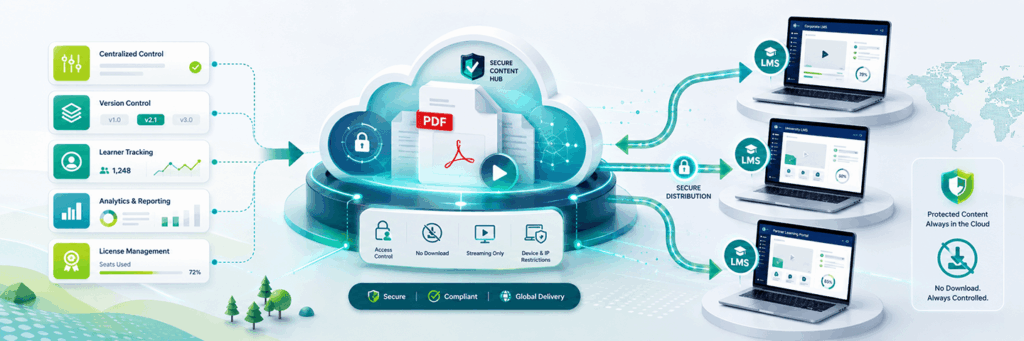
How to Distribute PDF Documents to External Learning Platforms: Challenges and Solutions  The widespread use of PDF documents makes them a popular choice for sharing and distributing information across different platforms. However, when it comes to distributing licensed PDF documents to external Learning Management Systems (LMS) or other platforms, significant challenges arise. Many organizations find themselves struggling with issues related to distribution, protection, tracking, and licensing. This article will explore the difficulties associated with distributing PDF documents and explain how scormPROXY can provide effective solutions to these challenges. Distributing PDF Documents to External Platforms In the world of e-learning, companies often need to distribute their learning materials to external platforms, such as clients’ LMSs or partner systems. One of the most common formats used for this purpose is PDF. PDFs are versatile and easy to create, making them a convenient choice for distributing e-books, guides, whitepapers, or training manuals. Typically, without a specialized solution like scormPROXY, distributing PDFs to external platforms involves the following steps: Delivering Directly to Clients: Companies often share PDF documents directly with clients, either by email, file transfer, or through secure cloud storage. Once a client receives a PDF, they can then upload it to their own LMS or platform. Embedding in the LMS: Clients may choose to embed the PDF as a downloadable resource within their LMS. This can be done by uploading the file directly to their platform, where learners can access it at their convenience. While this approach seems straightforward, it comes with a host of challenges, especially if companies need to protect their intellectual property and track how their PDFs are being accessed and used. Challenges of Distributing Licensed PDF Documents to External Platforms 1. Lack of Centralized Control One of the major problems with distributing PDFs directly to clients is the lack of centralized control. Once a PDF document is sent to a client, the original publisher loses control over how it is used. The client can make unlimited copies, share it with other users, or even modify the content. This poses significant risks when the document contains proprietary information or content that the publisher wants to protect. No Version Control: The lack of centralized management means that if the document needs to be updated, there is no way to ensure that every user has the latest version. Clients may continue using outdated versions, leading to inconsistencies and incorrect information being disseminated. 2. No Tracking or Reporting (No SCORM Compatibility) Another significant challenge is that standard PDF documents are not SCORM-compliant, meaning there is no way to track learner engagement or progress. For example: No Learner Tracking: Publishers cannot track which learners have accessed the document, how much time they spent reading it, or whether they completed the material. No Interaction Data: There is no record of learner interactions with the content. Unlike SCORM-compliant content, where interactions can be tracked and reported, PDFs provide no visibility into learner activity. This lack of tracking makes it challenging for organizations that need to report on learning outcomes or ensure compliance. 3. Download and Distribution Risk PDFs are often downloadable, meaning that once learners download the document, it is entirely out of the publisher’s control. This presents several issues: Unauthorized Sharing: Learners can easily share the PDF with others, either within or outside their organization. This can result in license violations and reduced revenue for the publisher. Loss of Intellectual Property (IP) Protection: Once downloaded, the document can be edited or redistributed without the publisher’s consent. Sensitive or proprietary information could end up in the wrong hands, leading to potential IP theft. 4. Difficulty in Licensing Management Managing licenses for PDF distribution becomes complex when working with multiple clients and platforms. It is difficult to track how many learners are accessing the document, whether they are authorized users, and when licenses expire. Limited Licensing Control: The publisher has no direct control over the number of users accessing the document, making it challenging to enforce licensing agreements. No Expiration Control: There is no mechanism to automatically revoke access to the document when a license expires, which can lead to clients retaining and using the content beyond the agreed-upon period. The Solution: Introducing scormPROXY To address these challenges, scormPROXY offers a unique solution for distributing PDF documents and other learning content to external platforms. scormPROXY allows organizations to deliver content securely, manage licenses, and track learner engagement—all while keeping centralized control over their materials. scormPROXY is a platform designed to help organizations distribute e-learning content, including PDFs, in a secure and trackable manner. It bridges the gap between traditional content formats and modern LMS requirements by providing SCORM-like functionality for non-SCORM content. How scormPROXY Helps Distribute PDFs: Solutions and Benefits 1. Centralized Control Over Content With scormPROXY, content remains centrally managed, even when distributed to external platforms. Instead of delivering the actual PDF file to clients, scormPROXY provides a link to the content hosted on its platform. This offers several advantages: Version Control: Publishers can update the PDF at any time, and all users accessing the document through scormPROXY will always see the latest version. This ensures consistency and prevents outdated information from being used. Access Revocation: If a licensing agreement ends or a client no longer has permission to access the content, the publisher can revoke access instantly, ensuring that no unauthorized use occurs. 2. Tracking and Reporting (SCORM-Like Functionality) scormPROXY makes PDF documents trackable, providing valuable insights into learner engagement that are not possible with traditional PDF distribution. Learner Tracking: scormPROXY tracks which learners accessed the PDF, how many times they viewed it, and how much time they spent engaging with the content. This data is crucial for organizations that need to demonstrate compliance or report on learning outcomes. Detailed Reports: Publishers can generate detailed reports on learner interactions, providing visibility into content usage and allowing them to evaluate the effectiveness of their materials. 3. Secure Distribution Without Downloads Instead of allowing learners to download the PDF, scormPROXY streams the document to the

Articles, LMS, SCORM

Understanding the SCORM Cross-Domain Issue in E-Learning

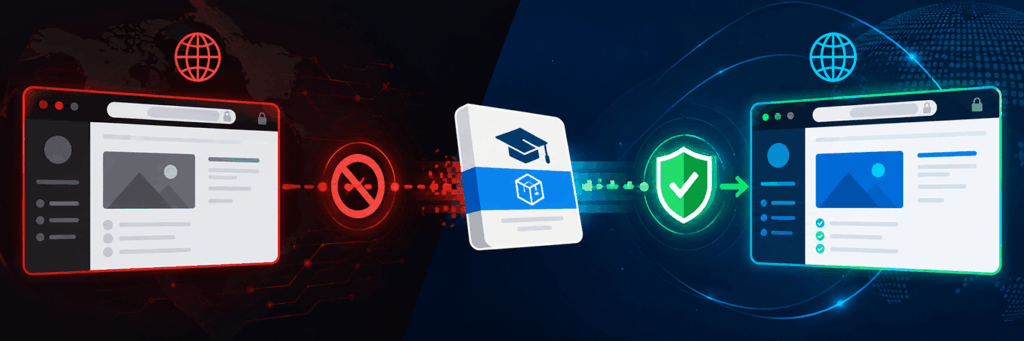
Understanding the SCORM Cross-Domain Issue in E-Learning     Introduction: What is SCORM? SCORM, or Sharable Content Object Reference Model, is a widely adopted standard in the world of e-learning. Developed by the Advanced Distributed Learning (ADL) initiative, SCORM enables interoperability between e-learning content and Learning Management Systems (LMS). Essentially, SCORM acts as a bridge between e-learning content modules and the LMSs that host them, ensuring that content can be launched, tracked, and shared across platforms seamlessly. The goal of SCORM is to ensure that educational content can be reused across different learning platforms without compatibility issues, which makes it a vital component for organizations that create or distribute digital learning resources. The core strength of SCORM lies in its ability to track the learner’s progress, ensuring that each activity within an online course is recorded properly. This includes data such as the learner’s quiz scores, time spent on each section, and completion status. SCORM helps build a consistent experience, allowing e-learning developers to create dynamic content that interacts well with multiple LMS environments. However, despite its adaptability, SCORM does come with certain challenges, particularly when content is hosted on a different domain from the LMS that launches it. This issue is known as the cross-domain problem.     What is Cross-Domain? The term cross-domain refers to the interaction between web resources that reside on different domains. For example, if an LMS, which is hosted at “https://www.examplelms.com,” attempts to access content hosted at “https://www.examplecontent.com,” this constitutes a cross-domain request. In the context of e-learning, cross-domain requests are common when organizations wish to host SCORM content separately from their LMS for security, performance, or content management reasons. Web browsers, however, implement a security policy called Same-Origin Policy. This policy restricts scripts on a web page from making requests to a different domain than the one that served the web page. The Same-Origin Policy exists to prevent malicious actions, such as cross-site scripting (XSS), where a script on one site can potentially steal or manipulate information from another. As a result, cross-domain issues arise when a SCORM package hosted on a different domain attempts to communicate with the LMS, causing communication failures between the two systems.     The Problem with SCORM and Cross-Domain SCORM content relies heavily on JavaScript to communicate with the LMS, which poses a challenge when the content and LMS are on separate domains. When SCORM content attempts to establish a communication bridge with the LMS, the browser’s Same-Origin Policy prevents the content from accessing LMS functions, ultimately breaking the intended functionality. The primary issue here is that SCORM-based JavaScript attempts to execute functions like “LMSInitialize()” or “LMSCommit()” across domains, but these functions are blocked by the browser for security reasons. As a result, learners may experience various problems, such as the inability to launch content, tracking errors, and progress that isn’t saved. This issue can create a disjointed user experience and lead to a lot of frustration, both for learners who lose their progress and for content providers who have to deal with technical support and workarounds. Consider a typical scenario in which a company sells SCORM packages to clients who use different LMSs. The content developer might want to host all learning material on their own server for easier updates and maintenance. When a client tries to launch the content from their LMS, the cross-domain policy prevents SCORM from communicating correctly, resulting in errors that undermine the value of the entire learning experience.     How the Cross-Domain Issue Affects E-Learning Content Providers The SCORM cross-domain problem significantly impacts organizations that develop and distribute e-learning content. Many content providers prefer to centralize their content for reasons such as control, security, and simplified updates. If each client’s LMS requires local copies of the SCORM packages, maintaining and updating those copies can become a logistical nightmare, especially when frequent content updates are necessary. 1. Maintenance and Version Control Without a cross-domain solution, content providers are forced to distribute SCORM content to each client, which means they need to track different versions of their content across many LMS installations. This decentralized approach can lead to inconsistencies, outdated content being used, and even legal liabilities if certifications or compliance modules are not updated. 2. Security Concerns Many content providers do not want to hand over their proprietary training content to clients. Hosting the SCORM content on the provider’s server means retaining control over the content and ensuring that only authorized users can access it. However, cross-domain issues prevent this from being easily implemented, forcing content providers to choose between giving up control or dealing with broken functionality. 3. Administrative Overhead Manually updating and supporting different versions of content for each client adds significant administrative burden. It is not only labor-intensive but also prone to errors. A centralized solution is much more efficient, allowing content developers to make updates in one place and have those changes instantly reflected for all clients.   Introducing the Solution: scormPROXY To address the challenges posed by cross-domain restrictions, scormPROXY offers a practical solution that effectively bridges the gap between SCORM content and various LMS platforms, even if they are on different domains. scormPROXY enables content to remain hosted on a separate server from the LMS, without being subject to the same-origin policy restrictions, allowing the SCORM communication to function as intended. scormPROXY functions as an intermediary that facilitates secure communication between SCORM content and the LMS, effectively circumventing the cross-domain limitations imposed by browsers. This enables organizations to centralize their content, maintain version control, and easily distribute learning modules without sacrificing the user experience. The technology behind scormPROXY creates an environment where SCORM content can communicate seamlessly with any LMS, regardless of where the content is hosted. It works by creating a secure bridge that allows data to flow between the LMS and the hosted content without triggering browser security alerts.   How scormPROXY Solves the Cross-Domain Problem   1. Centralized Content Management With scormPROXY, content developers can keep all their SCORM packages on

Articles, LMS, SCORM

How scormPLAYER transforms your CMS into a powerful e-Learning platform

In recent years, online training has seen significant growth, making the need for efficient e-Learning platforms more important than ever. In this context, tools like scormPLAYER have proven key in transforming a conventional CMS (Content Management System) into a powerful online educational platform. We will explore how scormPLAYER achieves this transformation and the features that make this tool a standout choice in the world of eLearning. What is scormPLAYER? scormPLAYER is a SCORM engine that integrates directly into web applications such as CMS, LMS, intranets, and websites, transforming them into SCORM learning platforms. scormPLAYER facilitates the management of e-Learning content, allowing for the import and playback of these materials. It offers functionalities like hosting e-learning content (SCORM 1.2/2004, MP4, MP3, PDF), user license management, content playback, and detailed tracking of user interactions with the content. Additionally, it allows for the distribution of content to external LMS and the generation of detailed usage reports. Who is scormPLAYER for? The scormPLAYER engine is particularly aimed at: Businesses without their own e-Learning platform: For businesses that do not have their own e-learning platform but do have a digital platform (such as a corporate website or an intranet), scormPLAYER offers seamless integration. This allows these companies to provide training and professional development directly through their existing systems, maintaining brand consistency and customizing content to their needs. Developers of commercial e-Learning platforms: For developers managing commercial e-learning platforms, scormPLAYER becomes an effective tool to enrich and expand their course offerings. It facilitates the integration of a wide range of e-learning content and provides advanced management and tracking capabilities, increasing the value and effectiveness of their LMS platforms. Benefits of scormPLAYER Time-saving for developers: It facilitates and speeds up the creation and updating of e-learning platforms. Cloud storage: Minimizes the need for local device space and improves online content access and handling. Centralized content management: Provides a complete system for managing, updating, and monitoring e-learning content. Ease of use and maintenance: Simplifies content management, integrating easily with existing web platforms. Security and compliance with regulations: Ensures data protection, complying with European regulations and using secure servers in Germany. Features of scormPLAYER In this section, we show the main features of scormPLAYER that enable converting your CMS into an e-Learning platform. API and Webservices for advanced management scormPLAYER offers a robust API that facilitates various operations, from uploading new content to obtaining detailed tracking reports. The provided Webservices, like API_UPLOAD_CONTENT and API_GET_CONTENT_TRACKING, facilitate advanced content management and user tracking. Comprehensive content management One of the strengths of scormPLAYER is its ability to manage the import and playback of various types of e-Learning content. Whether it’s SCORM 1.2, SCORM 2004, MP4, MP3, or PDF documents, scormPLAYER offers a centralized cloud repository to efficiently store and distribute these contents. Direct integration through iframes The seamless integration of e-Learning content into your CMS is primarily achieved through the use of frames (iframes). An iframe is an HTML element that allows the incorporation of one web page within another. scormPLAYER leverages this technology to integrate its content player directly into a CMS platform. You will only need to generate a link to direct users to the content you want to launch. This link includes the platform codes, the SCORM package, and the content you want to launch, as well as the user identifier. This results in an uninterrupted and cohesive learning experience, as users can access and interact with the learning materials without leaving the familiar interface of their CMS. Detailed tracking and reporting User tracking is an integral part of scormPLAYER. It records detailed information, such as the number of enrolled users, total visits, average time spent, and scores obtained. Furthermore, this data provides a deep insight into user progress and the effectiveness of the content. The generated reports are detailed and can be used to adjust and improve the e-learning content, ensuring that it is effective and engaging for users. Distribution to external platforms A distinctive feature of scormPLAYER is its ability to distribute content stored in the repository to external platforms. By controlling access and licenses, scormPLAYER facilitates collaboration and content sharing beyond the platform itself. Multi-platform and multi-client If you have multiple platforms where you wish to integrate the engine, there’s no problem. You can manage as many platforms as you need from a single instance of scormPLAYER. This facilitates a consistent and effective learning experience, both for the platform administrators and the end users. Access and license management scormPLAYER offers advanced access and license management, allowing content creators and administrators to control how and where their material is used. They can set specific permissions, such as who can view or interact with the content, and under what conditions. This is especially useful for ensuring copyright protection and for offering flexible business models, such as subscriptions or pay-per-access. How does scormPLAYER improve the online learning experience? Enhanced Interactivity: By integrating SCORM content into a CMS, scormPLAYER allows for greater interactivity in courses, including elements like interactive quizzes, simulations, and activities that enhance student engagement. Personalized Learning Tracking: scormPLAYER can track individual students’ progress, providing insights into their performance and allowing for the customization of their learning experience. Accessibility and Flexibility: Being integrated into a CMS, scormPLAYER facilitates access to learning content from any internet-connected device, allowing students to learn at their own pace and on their own schedule. Compatibility and Standardization: scormPLAYER ensures that the content is compatible with SCORM standards, meaning that learning materials can be easily reused and shared across different platforms and organizations. Improved User Experience: The integration of scormPLAYER into an existing CMS can significantly enhance the user experience by providing a familiar interface and consistent user experience. Analysis and Reports: scormPLAYER can generate detailed analysis and reports on student performance and engagement, helping educators tailor their teaching and materials to better meet their students’ needs. Conclusion In summary, scormPLAYER emerges as a comprehensive solution for transforming your CMS into a potent eLearning platform. From efficient content management to detailed user tracking

Articles, EdTech

Knowledge Management in Businesses: Effective Strategies

Knowledge management is the driving force behind innovation, resilience, and sustainable growth in the business environment. This process is essential to ensure that information flows among employees, is shared efficiently, and contributes to addressing business challenges. In this context, collaboration and knowledge exchange are key elements that facilitate organizational growth and progress. In this article, we will explore effective strategies for knowledge management in businesses. We will highlight key practices ranging from building a continuous learning environment to leveraging innovative technological solutions. These business strategies are designed to boost operational efficiency and foster an organizational culture centered on learning and continuous improvement. What is knowledge management in businesses? Knowledge management in businesses involves the identification, capture, distribution, and efficient utilization of collective wisdom within the organization. This process goes beyond mere data accumulation; it is the creation of an ecosystem where information is collaboratively shared and transformed into a driver for sustainable growth. It is a comprehensive process that aims to optimize decision-making, foster innovation, and promote resilience to changes. Instead of each person having their own set of data, Knowledge Management ensures that everyone is on the same page. Why is this so important? Because when everyone shares what they know, the company can be more efficient, creative, and capable of adapting to rapid changes. Best practices for knowledge management in businesses Now that you know what knowledge management in businesses is, we must ask another important question: How do we transform information into a valuable asset? This is where some practices for Knowledge Management come into play. Build a continuous learning environment Promoting a culture of learning is essential for business development. When each team member adopts the role of a constant learner, innovation thrives. This way, knowledge management becomes a collaborative path toward continuous improvement. Implement innovative technological solutions It’s not just about accumulating information but doing so intelligently. Implementing innovative technological solutions facilitates access to information and transforms how we use it. It’s like giving the company digital superpowers to face challenges and stand out in an increasingly competitive environment. La integration of edtech tools in the knowledge management process accelerates the capture and distribution of information, while simultaneously transforming how employees access and apply their knowledge. For example, at WelcomeNext, we help companies implement, improve, or update their online training strategy using various technological solutions, such as the WelcomeLMS platform. By choosing WelcomeLMS, companies gain a modern, user-centered interface, tools that facilitate efficient access to information, and advanced features such as gamification and certification. These tools enable companies to excel in an ever-competitive business environment by fostering an organizational culture focused on learning and continuous improvement. Capture and document implicit knowledge Implicit knowledge, unlike information documented in manuals, encompasses the experiences and skills that team members have acquired throughout their careers. This type of knowledge is invaluable as it is based on daily practice and an intuitive understanding of job complexities. Learning to identify and document these experiences enriches the company’s knowledge base and strengthens collaboration among team members. Establish an intelligent organizational system An intelligent organizational system facilitates the search and use of knowledge when it is most needed. Ensure that every document, resource, or specific knowledge in your company has its precise location, clearly labeled and easily accessible to all team members. This not only saves time by eliminating unnecessary searching but also optimizes decision-making by ensuring that relevant information is within reach of everyone. Promote collaboration between departments When different departments work together, magic happens. Knowledge Management thrives on collaboration between areas, breaking down barriers and generating new ideas. It’s like a well-coordinated team playing in harmony to achieve business success. Encourage active employee participation When all employees are involved, knowledge flows. Encouraging active participation not only strengthens the workplace community but also enriches the company’s knowledge bank. Each employee, by sharing their knowledge and experiences, contributes to the collective wealth of wisdom. Use analytics to measure impact How do we know if we are on the right track? The answer lies in analytics. Using analytical tools allows us to measure the impact of our knowledge management strategies, providing concrete data for informed decision-making and continuous improvement. For example, Google Analytics can provide detailed information on how employees interact with online learning platforms. This includes data on the time spent on the platform, the most visited pages, and how they navigate through the content. Conclusion In conclusion, effective knowledge management in businesses is not just a practice but a philosophy that drives growth and innovation. From creating a culture of learning to implementing innovative technological solutions, each business strategy contributes to turning information into a valuable asset. Fostering collaboration, capturing implicit knowledge, and establishing intelligent organizational systems are key practices that strengthen the business fabric. As a result, knowledge management becomes the driving force that distinguishes leading companies, creating a path toward continuous success in a dynamic business environment.

AI, Articles

Artificial Intelligence in E-learning: The Future of Online Learning

Online learning is evolving by leaps and bounds, especially with the advent of artificial intelligence (AI). Traditional educational strategies focused on memorization have given way to more student-centered approaches. In this context, artificial intelligence emerges as an essential tool, facilitating data analysis and aiding in identifying challenges, personalizing content, and providing instant responses. In this article, we will explore the role of artificial intelligence in e-learning and the numerous advantages it offers. We will also address the ethical challenges it poses. 1. What is Artificial Intelligence? Artificial Intelligence (AI) represents the ability of machines to mimic human cognitive processes, such as learning, reasoning, and problem-solving. Essentially, it involves equipping computer systems with the capability to perform tasks that traditionally required human intervention. This is achieved through the application of advanced algorithms that enable machines to analyze data, recognize patterns, and make autonomous decisions. A fundamental aspect of AI is its ability to learn from experience. AI systems can enhance their performance as they are exposed to more data, adjusting their algorithms and improving results over time. In the context of e-learning, artificial intelligence becomes a great ally by facilitating the analysis of educational data, personalizing the student experience, and offering instant solutions to pedagogical questions. 2. Applications of Artificial Intelligence in E-learning Learning Virtual Assistant: These systems provide personalized educational support, adapting to each student’s unique learning style. They function as interactive guides by providing detailed explanations and adjusting to individual needs, thereby enhancing the learning experience for each student. They take into account factors such as learning speed, preference for certain content formats, and the effectiveness of different teaching methods. Identification of student qualities and difficulties: AI can analyze large amounts of data and interpret it, identifying patterns that reveal areas of difficulty and highlighting individual strengths. This allows educators to further customize their teaching approaches, providing specific support where it is most needed. Creation of Online learning tools: With AI, the creation of innovative educational tools has become more efficient. From interactive simulations to gamification platforms, artificial intelligence facilitates the design of educational resources that are informative, engaging, and immersive. For example, Quillionz is an AI-based tool that helps generate questions automatically, used for creating assessments and educational content quickly and efficiently. Support through Chatbots: Chatbots are employed to provide instant support, offering quick answers to frequently asked questions and providing general guidance. Although not exclusively designed for the educational field, their versatility allows them to respond to queries about course content, offer administrative information, and provide real-time assistance. Automated Assessment System: AI can be used to develop automated assessment systems that analyze and grade students’ tasks and tests automatically. These systems allow the assessment of both multiple-choice answers and more complex written assignments and projects. The instant feedback provided by these systems helps students quickly understand their mistakes and areas for improvement. Personalized content recommendations: Artificial intelligence can also analyze students’ learning history, preferences, and areas of interest to offer personalized content recommendations. This helps students discover relevant and engaging materials aligned with their learning goals. 3. Advantages of Artificial Intelligence in E-learning Personalization of learning: AI’s ability to adapt to the individual needs of students is one of its greatest strengths. Personalized learning allows each student to progress at their own pace, focusing on specific areas that require additional attention. Immediate Feedback: With AI, feedback on student performance is instant and accurate. Educators can identify problem areas instantly and provide specific feedback, significantly enhancing the learning process. 24/7 access: The flexibility of online learning is enhanced by the constant availability offered by artificial intelligence. Students can access material at any time, enabling autonomous learning tailored to their individual schedules. Performance analysis and monitoring: AI not only facilitates the assessment of student performance but also provides continuous monitoring. This allows real-time adjustments, ensuring that educational content adapts as the needs and skills of students evolve. 4. Challenges and Ethical Considerations of Artificial Intelligence in E-learning The integration of Artificial Intelligence (AI) into the field of E-learning provides numerous benefits but also poses ethical challenges that need attention. Equality in access: As AI is incorporated into learning environments, it is essential to address the digital divide and ensure that all students have equal opportunities. This involves considering not only internet connectivity but also the accessibility of devices and resources. Privacy and data security: It is fundamental to establish robust measures to protect sensitive information and ensure that AI systems comply with rigorous ethical standards. Transparency in data management, as well as the implementation of robust security protocols, is essential to build the necessary trust in virtual learning environments. Transparency in decision-making: Opacity in the decision-making processes of AI algorithms poses significant ethical challenges. It is crucial to incorporate a transparent approach in the design and operation of AI systems used in E-learning. Students, educators, and other stakeholders should understand how automated decisions are made and how they affect the educational process. Excessive personalization: Although personalized learning is a key advantage of artificial intelligence, there is a risk of excessive personalization. This can result in the creation of “learning bubbles,” where students are only exposed to content that reinforces their existing opinions or strengths, limiting their exposure to diverse perspectives and challenges that foster real growth. 5. Conclusion The integration of Artificial Intelligence into E-learning is radically transforming education. From virtual assistants that personalize the student experience to the efficient delivery of content and immediate feedback, AI is paving the way for more effective and accessible learning. As we move towards the future, the collaboration between technology and education will continue to redefine how we acquire knowledge, opening new doors for global learning.    

Solutions

Contact

Complejo Empresarial ATICA
Edificio 5, 2ª Planta
Avenida de Europa 26
28224 – Pozuelo de Alarcón
Madrid – ESPAÑA

info@welcomenext.com

Solutions

About Us

Contact

Complejo Empresarial ATICA
Edificio 5, 2ª Planta
Avenida de Europa 26
28224 – Pozuelo de Alarcón
Madrid – ESPAÑA
info@welcomenext.com
+34 911845972

Subscribe to our Newsletter

Copyright 2013 – 2026 WelcomeNext S.L. | All rights reserved | Privacy Policy | Legal Notice | Cookies policy
Scroll to Top